
Backcast Series
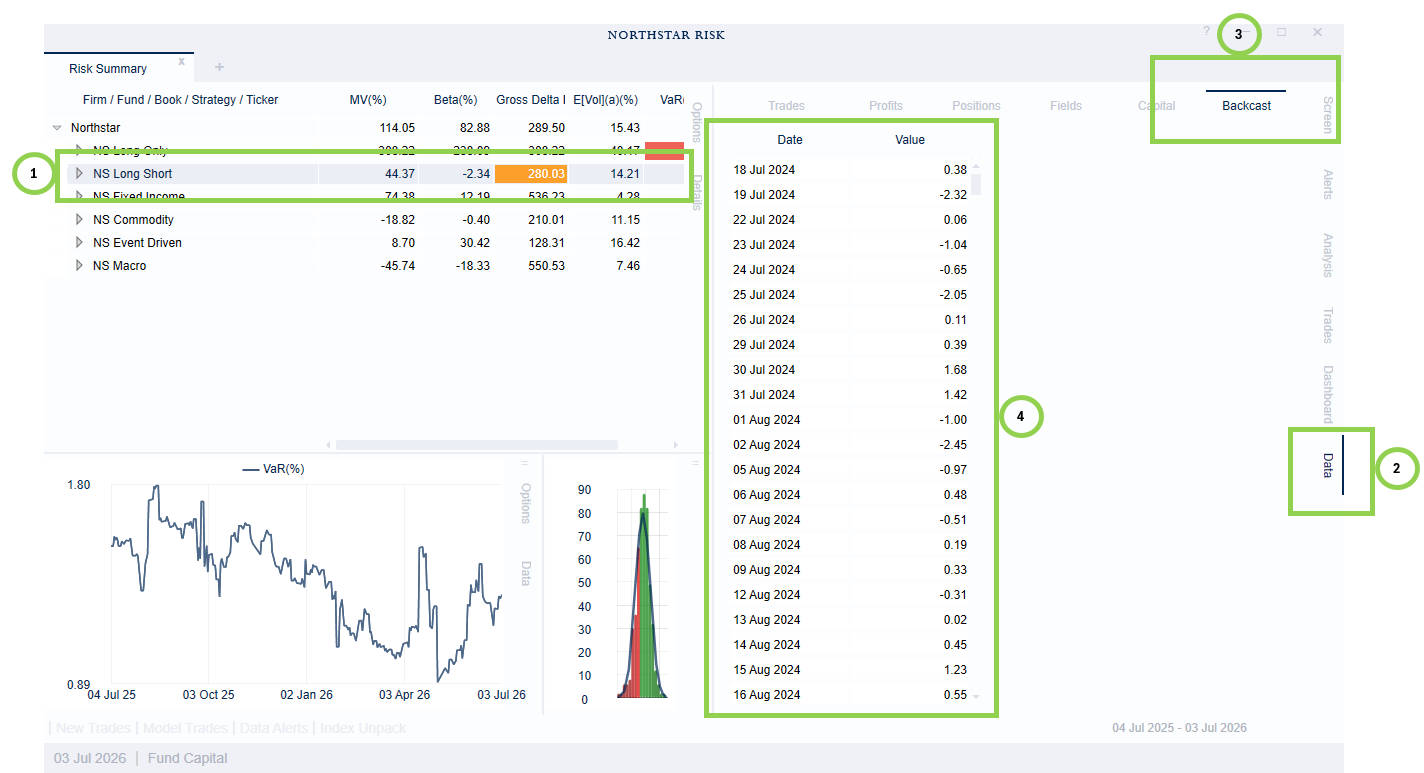
Many risk statistics, include expected volatility, VaR, beta exposure and predictive stress tests are based on backcast returns. In the application, you can view the backcast return series for a position or portfolio. Simply
Select the portfolio, sub-portfolio, or position in the main grid.
Open the Data tab on the right side of the application.
Select the Backcast sub-tab.
View the backcast returns, or export the to Excel by right-clicking on the data.
Add Date To Grid
You may find one date in the backcast returns with an unusual return, which you would like to investigate further. To see which parts of the portfolio are contributing the most to this return, right-click on the row you want to investigate in the table on the Backcast tab. You will have the option to "Add Date to Grid(%)" or "Add Date to Grid($)". Choosing one of these options will add the selected date to the main grid.