
Northstar Risk Indexes
Northstar risk indexes allow you to compare your risk levels to the average of other hedge funds. Currently there is only an index for Value at Risk.
Viewing in the Application
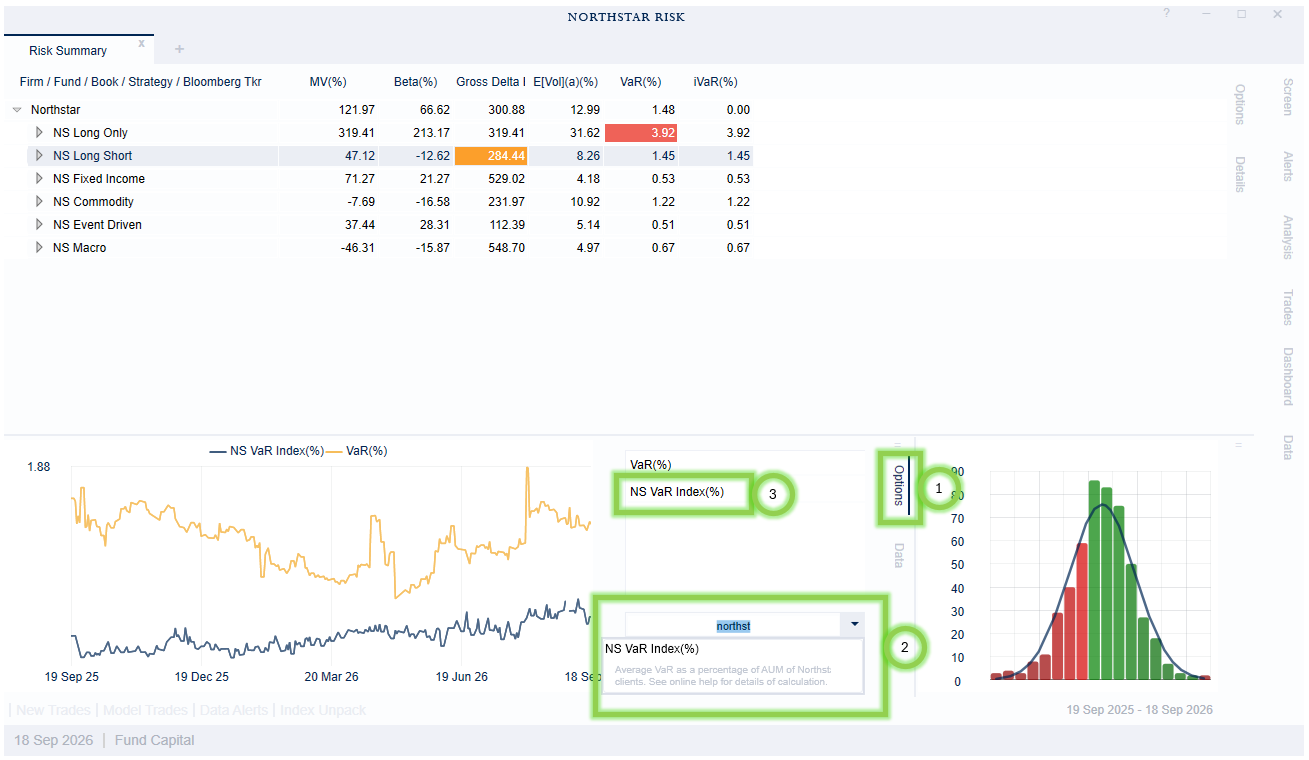
The easiest way to view the index data is to use a time series chart.
Open the chart options tab;
Type Northstar in the drop-down menu type to filter out the Northstar risk indexes (2).
Add the index you would like to see to the to the chart.
Methodology
Each index is calculated as a truncated mean. We drop the top and bottom 5% of reported values, and calculated the mean of the remaining values. For the index to be calculated there must be at least 12 funds contributing to the index.
Only hedge fund strategies are included in the index. Long-only strategies are excluded.
Only funds with outside capital are included. Internal funds and model portfolios are excluded.
Funds that track a flagship fund (managed accounts, leveraged funds, etc.) are also excluded.